Automated email sequences for SaaS: 6 behaviour-triggered sequences with examples
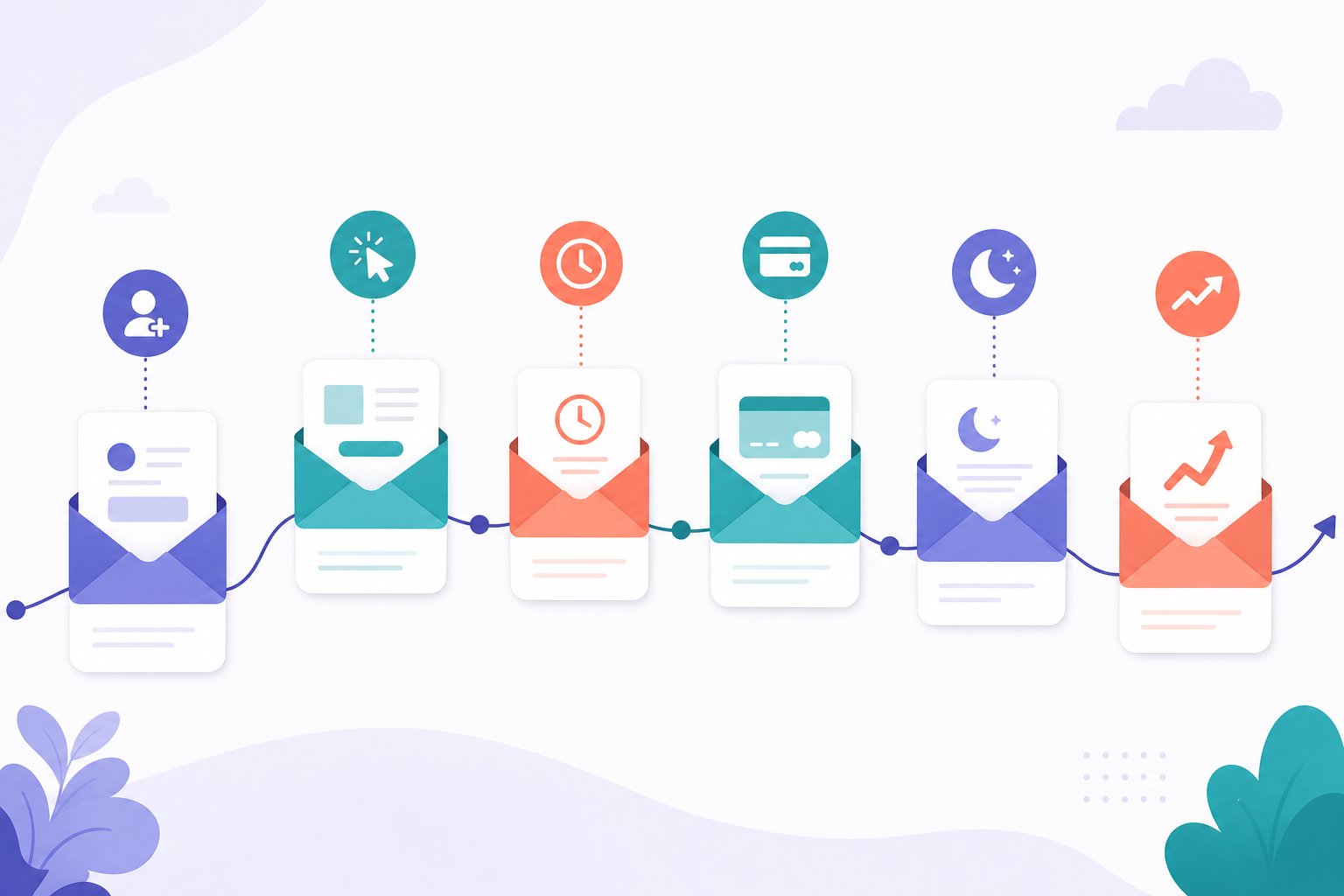
An automated email sequence is a short series of emails that starts when a customer does something (or stops doing something) and stops when they reach the goal. For a SaaS product, the six that earn their keep are: welcome and onboarding, first-feature activation, trial ending, failed payment, re-engagement, and usage-milestone upgrade.
Below, each one is laid out the same way: the trigger, the timing, how many emails, example subject lines and copy, and what to measure. Copy them, change the words to sound like you, and switch them on one at a time.
If you want the case for behaviour-based triggers over a fixed calendar, read Your engagement emails are guessing. Behavioural triggers aren't. For the bigger picture of lifecycle stages, see Lifecycle automation for SaaS. This post is the practical part.
Before you build: three rules for every sequence
- Start on an event, not a date. "Signed up", "created first project" or "no login for 7 days" beats "day 3 of the month".
- Always set an exit. The moment someone does the thing you are nudging them towards, take them out. Nothing loses trust faster than "Have you tried X yet?" a day after they did.
- Keep each email to one job. One idea, one link, one call to action. Short plain-text-style emails from a real person usually beat designed newsletters for this.
Add merge tags for first name, plan and the feature they last used. Even one personal detail makes an automated email read like a note.
1. Welcome and onboarding sequence
Trigger: account created.
Exit: they complete your key setup step (for example, installed the snippet or invited a teammate).
Emails: 3 to 4 over the first 7 days.
Timing: immediately, then day 1, day 3 and day 6.
Example subject lines:
- "You're in. Here's the one thing to do first"
- "Stuck on setup? Reply and I'll help"
- "How [similar company] got value in their first week"
- "Quick question about what you came here to do"
Example copy for email 1:
Hi {{first_name}}, thanks for signing up. Most people get the most out of this in the first ten minutes by doing one thing: connecting their site. Here's the two-minute guide. If anything gets in the way, just reply. It comes straight to me.
What to measure: the share of new signups who complete the setup step within 7 days, and how long it takes. Opens are a weak signal here. The setup step is the real one.
2. First-feature activation sequence
Trigger: setup is done, but the user hasn't used the feature that best predicts retention (your "aha" feature) within 3 days.
Exit: the feature is used once.
Emails: 2 to 3.
Timing: day 3, day 5, day 8 after setup.
Example subject lines:
- "You're one step from [the outcome]"
- "The 3-minute version of [feature]"
- "What teams like yours set up next"
Example copy:
You've connected your site, nice work. The next step is the one that makes it useful: [feature]. It takes about three minutes and shows you [specific outcome]. Here's a direct link that opens it for you.
What to measure: feature adoption rate among people enrolled compared with people who weren't (hold back a small group if you can). Also check 30-day retention for users who activated through the sequence.
3. Trial-ending sequence
Trigger: trial end date is 5 days away and the account has no payment method.
Exit: they upgrade, or the trial ends.
Emails: 3.
Timing: 5 days before, 2 days before, and on the last day.
Example subject lines:
- "What you've set up so far (and what happens on [date])"
- "Your trial ends in 2 days"
- "Last day: keep your data and settings"
Example copy for email 1:
In your trial so far you've {{usage_summary}}. On {{trial_end_date}} your trial ends. If you'd like to keep going, picking a plan takes a minute and nothing you've set up changes. If it isn't the right fit, I'd genuinely like to know why. Just reply.
Split this sequence by activity. Active trial users get a confident "here's what you've built" message. Inactive ones get a "want a hand, or more time?" message instead.
What to measure: trial-to-paid conversion rate, split by activated and non-activated users, and replies (they often tell you the real objection).
4. Failed-payment (dunning) sequence
Trigger: a subscription payment fails.
Exit: the payment succeeds or the card is updated.
Emails: 3 to 4.
Timing: same day, day 3, day 7, then a final notice before the account is downgraded.
Example subject lines:
- "Your payment didn't go through"
- "Quick fix: update your card in 30 seconds"
- "Your account will be paused on [date]"
Example copy:
Hi {{first_name}}, your latest payment for {{plan_name}} didn't go through. This usually means an expired card. You can update it here in about 30 seconds, and nothing about your account changes in the meantime.
Keep the tone neutral and helpful. Most failed payments are accidents, not cancellations.
What to measure: recovered revenue and recovery rate (failed payments that later succeed). This is often the single highest-return sequence a SaaS team can switch on.
5. Re-engagement sequence
Trigger: an active user hasn't logged in for 7 days (14 for tools used weekly).
Exit: they log in again.
Emails: 2 to 3.
Timing: day 7, day 12, day 20 of inactivity.
Example subject lines:
- "Here's what changed since you last logged in"
- "Is [product] still useful for you?"
- "Should I stop emailing you about this?"
Example copy for email 2:
I noticed you haven't been back in a little while. No pressure, but if something got in the way, I'd like to fix it. Was it setup, time, or did it just not do what you needed? One-word replies are fine.
Lead with something new or useful to them, not "we miss you". Use their last-used feature as the hook if you can.
What to measure: the share of inactive users who return within 14 days, and whether they stay active 30 days later. A login that doesn't stick isn't a win.
6. Usage-milestone upgrade sequence
Trigger: an account on a free or lower plan reaches about 80% of a plan limit, or hits a usage milestone (for example, 1,000 tracked visitors or a fifth teammate).
Exit: they upgrade.
Emails: 2.
Timing: when the milestone is hit, then 4 days later.
Example subject lines:
- "You've hit [milestone]. Nice."
- "You're close to your plan limit. Here are your options"
Example copy:
Your team just passed {{milestone}}. That puts you in the top group of accounts on {{plan_name}}. You're at about 80% of the plan limit, so here's what the next plan adds and what it costs. No action needed today. This is just so nothing surprises you.
What to measure: upgrade rate within 14 days of the milestone, and revenue added per email sent. For more on timing upgrade asks, see lifecycle automation for SaaS.
How to measure a sequence properly
Open rates are unreliable now that many mail apps preload images. Judge each sequence by the behaviour it is meant to cause:
- Goal rate: the share of enrolled contacts who hit the exit goal (activated, paid, came back).
- Time to goal: how fast they got there compared with people outside the sequence.
- Unsubscribe and complaint rate: if it climbs above about 0.5% per email, the sequence is too frequent or too generic.
- Replies: read them. They are the cheapest customer research you will ever get.
Change one thing at a time (subject, timing or trigger) and give it at least a few hundred enrolments before deciding.
Building these in SaaS Toolkit
In SaaS Toolkit, Email Automations enrol contacts from real product behaviour: an event, list membership, a property change, or a manual selection. You can build each of the six sequences above as a multi-step sequence with merge tags for any user property.
Deduplication, bounce protection and unsubscribe handling are built in, so a hard bounce cancels future sends and an unsubscribe applies across every sequence. Each send is tied to the contact's timeline, so you can see which emails someone received, opened and clicked next to what they did in your product.
If you'd rather set sequences up by asking an AI assistant, the SaaS Toolkit MCP lets Claude, ChatGPT or Cursor list, create and test email automations for you.
You can start free and switch on your first sequence today, or compare plans on the pricing page.
FAQ
What is an automated email sequence?
It is a series of pre-written emails sent automatically when a contact meets a trigger, such as signing up, going inactive or failing a payment. It stops when they reach the goal or leave the sequence.
How many emails should a SaaS email sequence have?
Usually 2 to 4. Onboarding can run to 4 or 5 over the first week or two. Re-engagement and upgrade sequences work best short, at 2 or 3 emails.
What is the difference between a drip campaign and a behaviour-triggered sequence?
A drip campaign sends on a fixed schedule to everyone in a list. A behaviour-triggered sequence starts and stops based on what each person does in your product, so the message matches where they are.
Which email sequence should a SaaS company set up first?
Start with welcome and onboarding, because it affects every new signup. If you already have paying customers, add failed-payment recovery next. It is quick to set up and directly recovers revenue.
How often is too often for automated emails?
As a rule of thumb, no more than one automated email per contact per day, and avoid overlapping sequences. Deduplication and exit rules prevent the same person getting two sequences at once.
How do I know if an email sequence is working?
Measure the behaviour it is meant to cause, such as activation, trial-to-paid conversion, recovered payments or returning users. Compare enrolled contacts against a small holdout group where possible.