How does MCP work? A plain-English guide for people who don’t write code
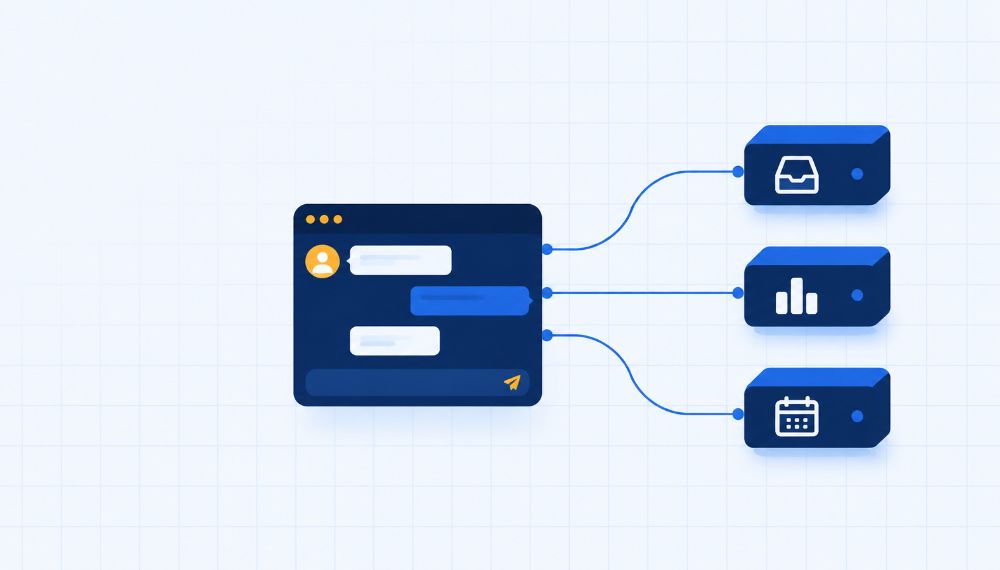
The short answer: MCP (Model Context Protocol) is a standard way for an AI assistant to ask another piece of software what it can do, and then use it. The assistant connects to an MCP server, gets a list of tools, picks one when your question needs it, and reads the result back to you.
That’s the whole idea! The sections below go into detail on each step...
What is MCP?
MCP stands for Model Context Protocol. Anthropic released it in November 2024, and in December 2025 it was donated to the Agentic AI Foundation, a fund under the Linux Foundation, so no single company owns it. A protocol is just an agreed set of rules for how two programs talk to each other.
The problem it fixes is old and boring. With one shared standard, an assistant that supports MCP can talk to any app that offers an MCP server, with no custom build for every pairing. Composio’s explainer calls it “a USB-C port for AI agents”. That picture covers the plug but leaves out who does what, so here’s a different one.
The three roles: host, client and server
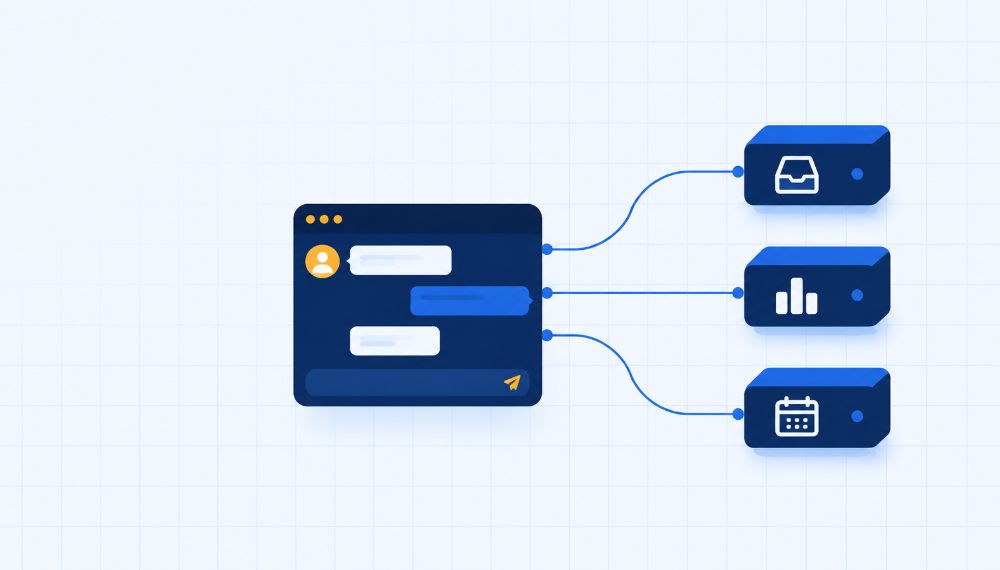
Picture a project manager running a project. She has a separate phone line to each specialist, and each specialist knows one thing well: one handles your support inbox, one your files, one your calendar. She keeps the full conversation with you to herself and gives each specialist only what they need to do the job.
That’s close to how MCP is built, and it matches the official specification:
The host is the AI app you use. Claude Desktop and Claude Code are hosts, and each time one connects to a server it creates a dedicated client for that server.
The client is the phone line. Every client is paired with exactly one server, and you never deal with it directly.
The server is the specialist. It can be a local process or a remote service.
One detail matters for privacy. A server isn’t supposed to see your whole conversation or peek at other servers, because the host keeps the full history.
What a server can offer: tools, resources and prompts
A server exposes its abilities through three building blocks.
Building block | What it is | Who decides when it’s used | Example |
|---|---|---|---|
Tools | Functions the AI can call to take an action | The model | Show one customer’s timeline |
Resources | Information the AI can read for background, like files or records | You or the app | A saved report |
Prompts | Ready-made templates for a particular kind of task | You or the app | A weekly review template |
For most people the tools are the part that matters, and tools are what the SaaSToolkit MCP is made of: 39 of them, 30 read-only and 9 that can write.
What happens when you ask a question
Say you’ve connected the SaaSToolkit MCP to Claude and you type: “Which support chats need a reply?” Here’s the path that question takes.
The connection is already set up. You added the server’s URL once and signed in. When the connection starts, the client and server declare which features they support.
The client asks what’s on offer. The server answers with each tool’s name, a description of what it does and the inputs it needs. For us that’s 39 tools.
Your question goes to the model along with those tool descriptions. If the model wants a tool, it writes out a structured request and the host routes it to the server.
The model picks a tool. For this question that’s something like
list_support_queue, which lists chats and tickets in one queue, most recently active first. In practice the model requests the call and the client decides whether it goes ahead.The server does the work under your permissions. Ours only reaches projects you can access, under your team permissions.
The result comes back and the model writes the answer. If you say “show me the first one”, it makes another call, such as
get_support_conversation, which returns the messages in one chat.
Then you might ask it to reply. That uses a write tool, and many AI tools ask before running write actions.
Underneath, the messages are plain requests, responses and notifications built on a standard called JSON-RPC. You never need to see them.
Local or remote server?
There are two ways a server can run. A local server is started by your AI app on your own machine, while a remote one is a hosted service you reach over the web. The local kind suits tools that need your files. The remote kind is easier for everyone else, because there’s nothing to install, and sign-in is usually OAuth.
Ours is remote. You paste https://mcp.saastoolkit.ai/mcp into your AI tool and sign in with your SaaSToolkit account. There’s no API key or client ID to handle.
MCP vs API: what’s the difference?
An API is how one piece of software talks to another. MCP sits on top of that. In most setups the MCP server sits in front of an existing API and the API does the actual work, while MCP gives the AI a common way to find and use it. (That’s a common design rather than a rule, and a local MCP server can work on files with no API involved.)
The real difference is who the interface is written for. With an API, a developer reads the docs and writes the call by hand. With MCP, the AI reads the tool descriptions itself while it’s working and chooses. So they aren’t rivals, and most setups use both.
Is MCP safe?
We think that’s really two questions. One is whether the protocol itself is sound. The other is whether this server, with its permissions, is safe in your setup. One security write-up compares servers to browser extensions: plenty are fine, a few aren’t, and “the protocol itself does not protect you”.
The risk most worth knowing is prompt injection: hidden instructions reaching a tool that can actually change something, for example a support ticket or document with instructions planted in it. The protocol also leaves it to the host app to decide whether to ask you before running something.
So a few habits are worth having:
Connect servers from vendors you trust.
Check which tools can write, and switch off the ones you don’t need.
Keep approval prompts on for anything that sends or changes data.
Remove servers you’ve stopped using.
Here’s how that looks for the SaaSToolkit MCP. 30 of its 39 tools are read-only, and it can’t switch on automations, send campaigns to contacts or change settings, billing or contacts. That shrinks what a mistake can do. It doesn’t remove the risk, and support tickets are exactly the sort of outside text that can carry planted instructions, which is a good reason to keep approvals on for replies.
Our founder Ian Naylor sums up why it’s worth the effort: “If your AI can’t see your customers, it’s working blind.”
MCP FAQ
What does MCP stand for?
Model Context Protocol. It’s an open standard that lets AI assistants connect to outside tools and data.
How does MCP work in simple terms?
Your AI app (the host) opens a connection, through a client, to an MCP server. The server lists its tools. When your question needs one, the model picks it, the client runs it and the result comes back into the conversation.
What is an MCP server?
A program that exposes tools, data or prompts to an AI app. It can run on your computer or be hosted at a URL.
Is MCP the same as an API?
No. An API is a direct interface for developers’ code. An MCP server usually sits in front of one or more APIs and describes them in a form a model can read and choose from.
Which AI tools support MCP?
Many do, including Claude, ChatGPT, Cursor, VS Code, Codex and Gemini CLI. Any tool that supports remote MCP with OAuth should work.
Is MCP safe to use?
It depends on the server and its permissions, because the protocol doesn’t enforce safety for you. Use trusted servers, prefer read-only tools, and keep approvals on for writes.
Do I need to code to use MCP?
Not for a remote server. In Claude on the web or desktop you add a custom connector, paste the server URL and connect.
Is MCP free?
The protocol is open, and each server sets its own pricing. The SaaSToolkit MCP is available on every plan, including the free Starter plan.
See it working
We launched the SaaSToolkit MCP yesterday, and it’s the quickest way to see all of this on your own data. Connect it, then try plain-English questions like “Which support chats need a reply?” or “Which contacts have a high churn-risk score?”. Setup steps are on the SaaSToolkit MCP setup page.