In-App Surveys: Stop Sending the Quarterly Questionnaire Nobody Answers
running a saas SaaS analytics saas founders SaaS growth
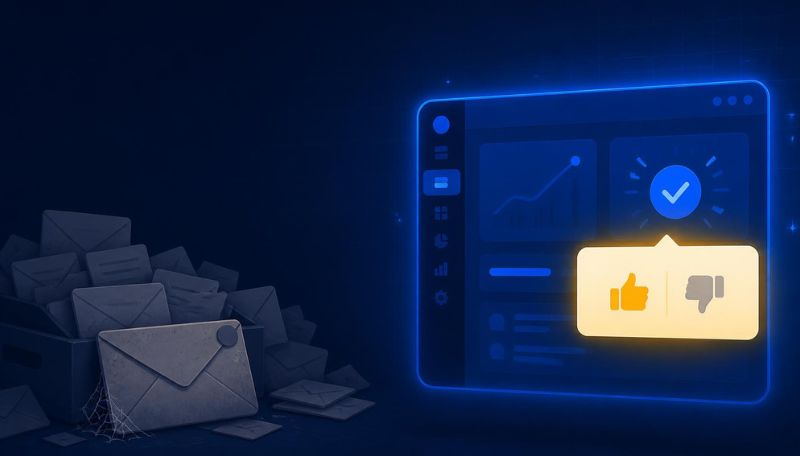
You sent the quarterly survey on Monday. It has twelve questions and a progress bar that lies about how long it'll take.
Barely anyone answered.
The few who did were either furious or in love, nobody in between, and half of them were rating something they last touched six weeks ago. You end up with a spreadsheet of noise and that familiar nagging feeling that you learned nothing. Again. Then someone schedules the next one for three months out, as if the problem was the calendar.
The quarterly blast asks at the worst possible time
People don't actually hate surveys. They hate being asked the wrong way at the wrong moment. The quarterly email lands cold in a crowded inbox, about a product the person maybe hasn't opened in a fortnight. You're asking them to down tools, cast their mind back, dredge up a feeling from last month, and type it into a form with twelve fields.
Of course they don't. Most just archive it.
The gap is not subtle. Contextual in-app surveys pull 10% to 30% response rates, while email surveys scrape 5% to 15%. Same question, sometimes the same words, two to six times the answers. The only thing that changed was where and when you asked.
The quarterly survey is a ritual, not a research method. It exists because someone decided feedback should happen on a schedule, like a dentist appointment. But people don't experience your product on a quarterly cycle. They experience it in moments, and the useful answer lives in the moment, not three months later. By the time your form arrives, the feeling you're asking about has gone cold and vague. You get a rating of a memory, and then you plan a roadmap around it. No wonder it feels like guessing. Ian Naylor, Founder of SaaSToolkit.ai
Ask while the moment is still warm
In-app surveys live inside the product and fire off the back of what the user just did. The timing does the heavy lifting.
They finish onboarding, so you ask how it went right then, while it's fresh. They use a feature for the fifth time, so you ask what nearly put them off the first time. They click cancel, so you ask why before they disappear for good. The answer is sharp because the thing just happened to them, not weeks ago. It's a reaction, not a recollection.
One question. In context. Ten seconds.
The bigger win comes from pairing that timing with the right target. When you group users by what they actually do, the confused first-timer and the daily power user stop getting the same bland question. Match the ask to the human. You ask each the thing that's actually useful to ask them. A new user gets "what nearly stopped you today". A heavy user gets "what would make you recommend this". Different people, different questions, far better answers.
Timing is most of the quality. A mediocre question asked at the perfect moment beats a brilliant question asked at a random one. I tell teams to stop thinking about surveys as a report they run and start thinking about them as a conversation you have, right when something happens. Ask one thing. Make it stupidly easy to answer. Then get out of the way. You'll learn more from a thumbs-up or thumbs-down fired at the right second than from a twenty-field form sent into the void. Becky Halls, Strategist at SaaSToolkit.ai
Asking is the easy half. Acting is the half that counts.
Here's where it goes wrong for a lot of teams - They get keen, fire surveys everywhere, collect a satisfying pile of responses, and then do precisely nothing with them. The user notices... They always notice!
Up to 75% of customers don't think businesses act on their feedback, and that quiet resentment is its own churn driver. Asking and then ignoring is worse than never asking. Far worse. You've reminded someone they aren't being heard, then proved it the same week.
So close the loop, every time. Route the answer somewhere it gets used. A rough onboarding score should trigger a helping hand within the hour, not land in a filing cabinet. A churn reason should feed straight into the fix list. Plug the responses into the early-warning system your churn rate can't give you and a survey stops being a vanity exercise. It starts catching wobbling accounts while you can still save them.
"The feedback itself is almost never the hard part," says Mara Jensen, a customer research lead. "Getting it is easy once the timing is right. The thing that separates teams who win from teams who spin is whether an answer actually goes anywhere. I've seen companies sitting on months of gold-dust feedback that no human has read since it came in. Meanwhile their customers are quietly deciding they don't matter. Can't act on it? Don't collect it. And if you can, act fast enough that the person who told you still remembers telling you."
Fewer questions, sharper timing
The instinct when this starts working is to ask more. Fight it.
One crisp question answered by a third of your users beats twelve questions answered by four percent of them. Every extra field is another reason to hit the X. Survey fatigue is real. Your best, busiest customers are the quickest to bail on a long form. Keep it short, keep it timely, keep it specific to what just happened. Then go quiet until you've earned the right to ask again.
Think of each prompt as spending a tiny bit of goodwill. Spend it well, and sparingly.
The reason most teams don't do this
It usually comes down to plumbing. Triggering a survey off real behaviour means knowing what the user just did the instant they did it, which means your behaviour data and your messaging need to live in the same place. For most teams they don't. Behaviour sits in one tool, surveys in another, and wiring the two together is the sort of project that gets added to a backlog and quietly dies there.
That's the gap SaaSToolkit closes. One JavaScript snippet captures what users do, and the same snippet lets you fire an in-app question off the back of any action, with no integration project and no second vendor to buy. You can have a behaviour-triggered survey live the same afternoon you drop the snippet in.
So here's the nudge: If your current read on what customers think is a quarterly guess, try asking them in the moment instead. Drop the snippet in, point your first question at the step you're most worried about, and watch how different the answers feel when you catch people while they still care. Start free, ask one good question this week, and act on it before they forget they answered.
FAQ
What are in-app surveys? In-app surveys are short questions shown to users inside your product, usually triggered by something they just did, such as finishing onboarding, using a feature, or clicking cancel. Instead of emailing a questionnaire and hoping for a reply later, you ask in context, in the moment, which makes the question relevant and the answer far fresher and more honest. The timing is the whole trick.
Why do in-app surveys get better response rates than email? Because they ask at a moment the user already cares about, inside the tool they're actively using, rather than interrupting a busy inbox about something they did weeks ago. Contextual in-app surveys typically see 10% to 30% response rates against 5% to 15% for email. The user doesn't have to switch context or remember how they felt; they just answer what's in front of them. The context does the work.
Won't in-app surveys annoy my users? They will if you overdo it. So don't. The teams that annoy people are the ones firing long forms at every click. Keep each survey to one or two questions, trigger it only off meaningful actions, cap how often any user sees one, and make it easy to dismiss. Done with restraint, a well-timed single question feels like being listened to, not interrupted.
When should I trigger an in-app survey? Right after a moment that matters. Good triggers include completing onboarding, using a key feature for the first or fifth time, hitting an error, upgrading, or starting a cancellation. Avoid random or time-based prompts that catch people mid-task with no context. The goal is to ask while the experience is still fresh, so the answer reflects what actually happened rather than a hazy memory.
What do I do with the responses? Act on them. Quickly, or not at all. Route each answer somewhere it drives a response: a poor onboarding score prompts a check-in, a churn reason feeds your fix list, a feature complaint reaches the team that owns it. Feeding responses into a customer health score also turns scattered answers into an early-warning signal. The point is to close the loop while the user still remembers giving feedback.
How does SaaSToolkit help with in-app surveys? SaaSToolkit captures user behaviour from a single JavaScript snippet and lets you trigger in-app questions off the back of real actions, all from that same snippet, with no separate survey tool to integrate. Because behaviour and messaging sit together, you can ask the right user the right question at the right moment, then feed the answers into health scores and automations so the feedback actually changes something. One snippet does both.